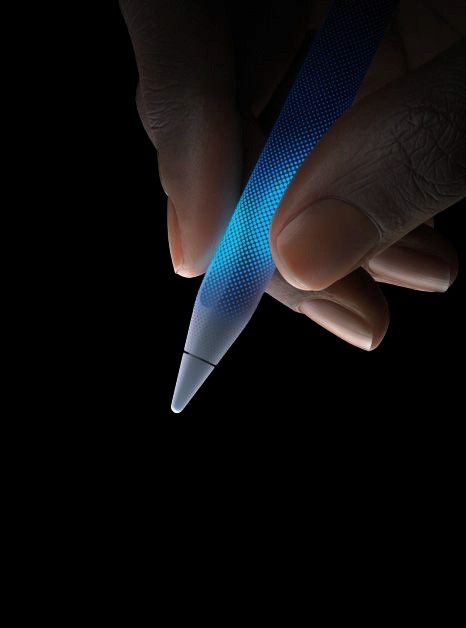
UI / Driven by
MultiTouch /.™
Multi
Touch
Surfaces/
These are not strict rules but rather guidelines.
Multi
Touch
Surfaces/
These are not strict rules but rather guidelines.
Multi
Touch
Surfaces/
These are not strict rules but rather guidelines.
Multitouch Surfaces that help designers and evaluators maintain a user-centered approach throughout the design process.
They are typically used during heuristic evaluation, where usability experts assess a product based on these principles, flagging usability issues that need to be addressed.
Multitouch Surfaces that help designers and evaluators maintain a user-centered approach throughout the design process.
They are typically used during heuristic evaluation, where usability experts assess a product based on these principles, flagging usability issues that need to be addressed.
[MultiTouch
Surfaces]
[MultiTouch
Surfaces]
[MultiTouch
Surfaces]
Tactile-based Navigation UI.
Tactile-based Navigation UI.
Tactile-based Navigation UI.
Improve usability by ensuring that designs are intuitive and easy to use. Facilitate user satisfaction by creating systems that align with users’ mental models and expectations. Enhance the overall effectiveness and efficiency of a product by reducing user errors and improving accessibility.
Improve usability by ensuring that designs are intuitive and easy to use. Facilitate user satisfaction by creating systems that align with users’ mental models and expectations. Enhance the overall effectiveness and efficiency of a product by reducing user errors and improving accessibility.
UI/MultiTouch
UX/UI Design & Development
2004
MultiTouch Guidelines for building user-centric Interfaces.
Resistive
<User-Centered Design Foundation/>®
Surface
<User-Centered Design Foundation/>®
Acoustic
<User-Centered Design Foundation/>®
Wave
<User-Centered Design Foundation/>®
Capacitive
<User-Centered Design Foundation/>®
Haptic
<User-Centered Design Foundation/>®
Screens
<User-Centered Design Foundation/>®
UI/MultiTouch
2004
UIs Driven by HCI
Methods
MultiTouch Guidelines for building user-centric Interfaces.
Resistive
<User-Centered Design Foundation/>®
Surface
</method to ask>
Acoustic
</method to ask>
Wave
</method to ask>
Capacitive
</method to ask>
Haptic
</method to ask>
Screens
</method to ask>
_
<User-Centered Design Foundation/>®
UI/MultiTouch
2004
UIs Driven by HCI
Methods
MultiTouch Guidelines for building user-centric Interfaces.
Resistive
<User-Centered Design Foundation/>®
Surface
</method to ask>
Acoustic
</method to ask>
Wave
</method to ask>
Cap
</method to ask>
Haptic
</method to ask>
Screens
</method to ask>
_
<User-Centered Design Foundation/>®
.
1
3
UI / Driven byMultiTouch/