

Figma
Make/
Mode

MAKE

PROMPT

CO-DESIGN

LIGHTSPEED

MAKE

PROMPT

CO-DESIGN

LIGHTSPEED

MAKE

PROMPT

CO-DESIGN

LIGHTSPEED

FROM

PROMPT

TO CODE

BREAK

THINGS

MOVE/Ai

FAST

From Prompt

to-Code

MCP+LLM

Making ideas "real" with Ai. Starting with a design and prompt to a functional prototype, fast—all in Figma. Figma Make is embedded in each Figma mode.

Making ideas "real" with Ai. Starting with a design and prompt to a functional prototype, fast—all in Figma. Figma Make is embedded in each Figma mode.

Making ideas "real" with Ai. Starting with a design and prompt to a functional prototype, fast—all in Figma. Figma Make is embedded in each Figma mode.

Make

Make

Make

Why Figma Make? Making ideas real with AI. A tool to tart with a design and prompt on my way to a functional prototype, fast—all in Figma. Figma Make is included in the Full seat on every mode. Figma Make is an AI-driven, prompt-to-code tool that let me bring ideas and existing Figma designs to life as functional prototypes, web apps, and interactive UI. Through conversation, I can ideate, iterate, and improve my functional prototypes and web apps.

LLMs isn’t just a new technology to be queried, they’re a new computing medium.
Just as GUIs, the web, and mobile interfaces reshaped design in past decades,
LLMs demand a rethinking of how intelligence would be embedded deeply in our products.

LLMs isn’t just a new technology to be queried,
they’re a new computing medium.
Just as GUIs, the web, and mobile interfaces
reshaped design in past decades,
LLMs demand a rethinking of how intelligence
would be embedded deeply in our products.

Make Mode UI
Designers need to consider both what the AI does and how it’s presented. Here are the big ideas:

Where AI is placed matters The position of AI in the interface affects how users understand and trust it.

The layout affects how users interact Different designs (like chatbots or side panels) lead to different ways users behave with AI.


AI is part of the overall experience The way AI shows up in the design is just as important as what it can do.


Designers need to think about what and how It's important to decide not only what AI does, but also how it's shown to users.


The interface sets expectations The design tells users what kind of help they can expect from the AI.

//AI
UI Choices

How and where AI appears, when it shows up, and how it’s triggered all shape USER BEHAVIOR and expectations.


//AI
UI Choices

How and where AI appears, when it shows up, and how it’s triggered all shape USER BEHAVIOR and expectations.

//AI
UI Choices

How and where AI appears, when it shows up, and how it’s triggered all shape USER BEHAVIOR and expectations.

Chatbot Widget.

Quick help, bottom-right corner. Best for lightweight, reactive tasks like customer service or FAQs: Customer support, FAQs, quick tasks.

01

Chatbot Widget.

Quick help, bottom-right corner. Best for lightweight, reactive tasks like customer service or FAQs: Customer support, FAQs, quick tasks.

01

Chatbot Widget.

Quick help, bottom-right corner. Best for lightweight, reactive tasks like customer service or FAQs: Customer support, FAQs, quick tasks.

01

Inline Overlays.

Suggestions inside your work. Perfect for small edits or assistance (like rephrasing or code hints) without breaking flow: Edits, rephrasing, summaries, coding hints.

02
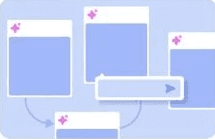
Inline Overlays.

Suggestions inside your work. Perfect for small edits or assistance (like rephrasing or code hints) without breaking flow: Edits, rephrasing, summaries, coding hints.

02

Inline Overlays.

Suggestions inside your work. Perfect for small edits or assistance (like rephrasing or code hints) without breaking flow: Edits, rephrasing, summaries, coding hints.

02

Infinite Canvas.

Creative playground. Al supports brainstorming and visual tasks by interacting directly with objects on a large canvas: Edits, rephrasing, summaries, coding hints.

03

Infinite Canvas.

Creative playground. Al supports brainstorming and visual tasks by interacting directly with objects on a large canvas: Edits, rephrasing, summaries, coding hints.

03

Infinite Canvas.

Creative playground. Al supports brainstorming and visual tasks by interacting directly with objects on a large canvas: Edits, rephrasing, summaries, coding hints.

03

Center Stage.

Full-screen assistant. Best for open-ended conversations (like ChatGPT) where users lead the interaction with prompts: Writing, research, idea generation.

04

Center Stage.

Full-screen assistant. Best for open-ended conversations (like ChatGPT) where users lead the interaction with prompts: Writing, research, idea generation.

04

Center Stage.

Full-screen assistant. Best for open-ended conversations (like ChatGPT) where users lead the interaction with prompts: Writing, research, idea generation.

04

Left Panel.

Strategic co-creator. Al sits in a side panel to help with ongoing, complex tasks, especially good for structured content or code: Co-creation, complex structured tasks. Writing, research, idea generation.

05
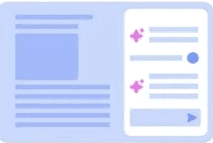
Left Panel.

Strategic co-creator. Al sits in a side panel to help with ongoing, complex tasks, especially good for structured content or code: Co-creation, complex structured tasks. Writing, research, idea generation.

05

Left Panel.

Strategic co-creator. Al sits in a side panel to help with ongoing, complex tasks, especially good for structured content or code: Co-creation, complex structured tasks. Writing, research, idea generation.

05

Right Panel.

Quick help, bottom-right corner. Best for lightweight, reactive tasks like customer service or FAQs: Writing, debugging, summarizing, enterprise tasks.

06
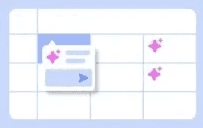
Right Panel.

Quick help, bottom-right corner. Best for lightweight, reactive tasks like customer service or FAQs: Writing, debugging, summarizing, enterprise tasks.

06

Right Panel.

Quick help, bottom-right corner. Best for lightweight, reactive tasks like customer service or FAQs: Writing, debugging, summarizing, enterprise tasks.

06

Grid.

Smart spreadsheet. Each cell acts like a mini-Al agent-great for research, data synthesis, or structured tasks: Research, data synthesis, and structured content.

07
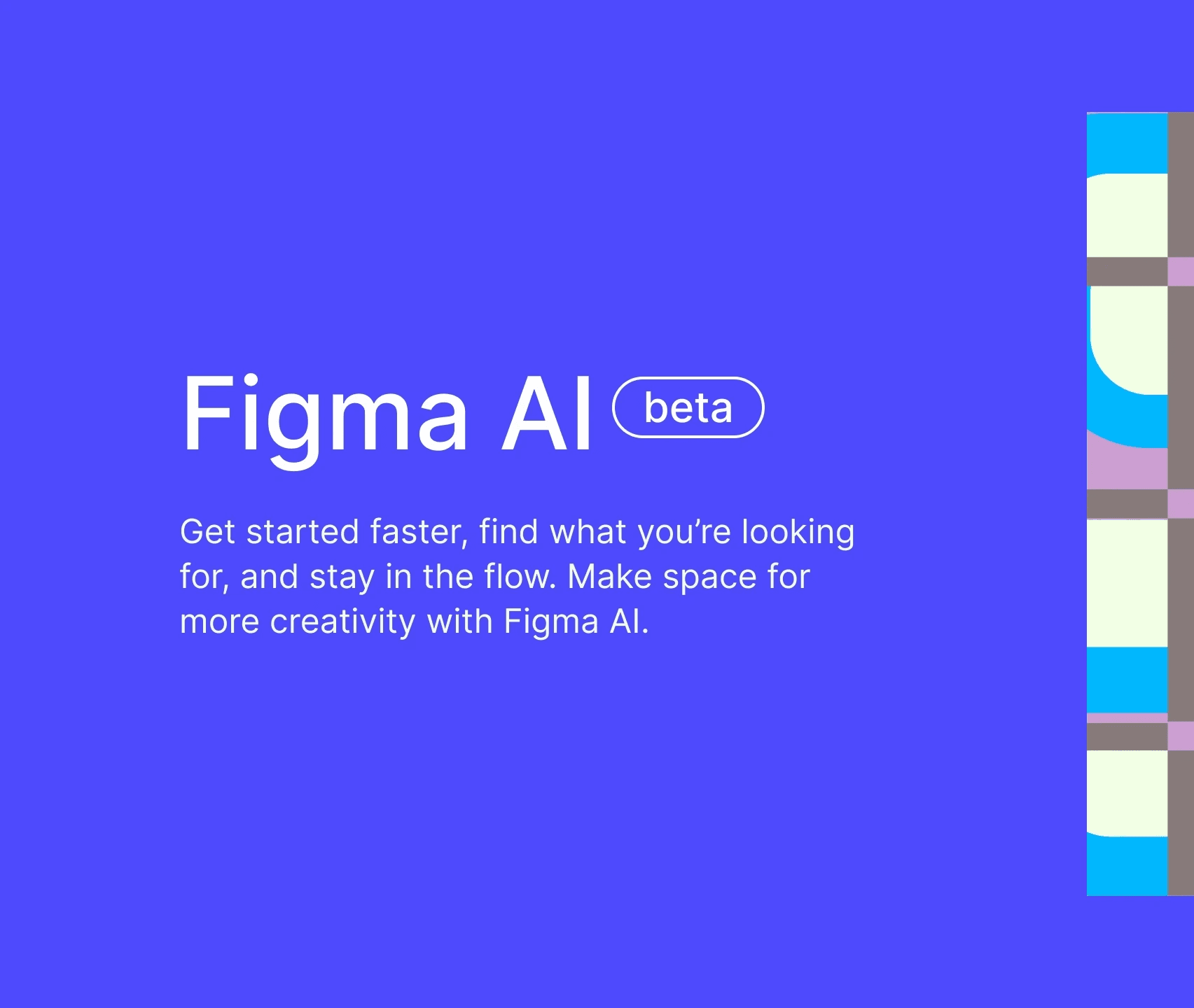
Grid.

Smart spreadsheet. Each cell acts like a mini-Al agent-great for research, data synthesis, or structured tasks: Research, data synthesis, and structured content.

07

Grid.

Smart spreadsheet. Each cell acts like a mini-Al agent-great for research, data synthesis, or structured tasks: Research, data synthesis, and structured content.

07

FigJam · Ai

Meet Figma AI — new AI features for Figma Design built to help you get started faster, find what you’re looking for, and stay in the flow. Make space for more creativity.

FigJam · Ai

{

01

}

FigJam Tips

{

02

}

Pro Journey

{

03

}

Empathy Map

{

04

}

2 · Be · Done

{

05

}

Five Why's

{

06

}

FigJam · Ai

Meet Figma AI — new AI features for Figma Design built to help you get started faster, find what you’re looking for, and stay in the flow. Make space for more creativity.

FigJam · Ai

{

01

}

FigJam Tips

{

02

}

Pro Journey

{

03

}

Empathy Map

{

04

}

2 · Be · Done

{

05

}

Five Why's

{

06

}

.

1

3

* SCROLL DOWN * or SCROLL UP