Figma Agent 2027
Make™/
Mode


MAKE
PROMPT
CO-DESIGN
LIGHTSPEED
MAKE
PROMPT
CO-DESIGN
LIGHTSPEED
MAKE
PROMPT
CO-DESIGN
LIGHTSPEED
FROM
PROMPT
TO CODE
BREAK
THINGS
MOVE/A\
FAST
From Prompt
to-Code
MCP+LLM
Why Figma Make? Making ideas real with A\. A tool to tart with a design and prompt on my way to a functional prototype, fast—all in Figma. Figma Make is included in the Full seat on every mode. Figma Make is an A\-driven, prompt-to-code tool that let me bring ideas and existing Figma designs to life as functional prototypes, web apps, and interactive U\. Through conversation, I can ideate, iterate, and improve my functional prototypes and web apps.
Make Mode U\
Designers need to consider both what the A\ does and how it’s presented. Here are the big ideas:
Where A\ is placed matters The position of A\ in the interface affects how users understand and trust it.
The layout affects how users interact Different designs (like chatbots or side panels) lead to different ways users behave with A\.
A\ is part of the overall experience The way A\ shows up in the design is just as important as what it can do.
Designers need to think about what and how It's important to decide not only what A\ does, but also how it's shown to users.
The interface sets expectations The design tells users what kind of help they can expect from the A\.

Chatbot Widget
Quick help, bottom-right corner. Best for lightweight, reactive tasks like customer service or FAQs: Customer support, FAQs, quick tasks.
01
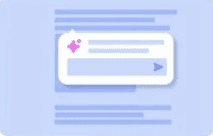
Inline Overlays
Suggestions inside your work. Perfect for small edits or assistance (like rephrasing or code hints) without breaking flow: Edits, rephrasing, summaries, coding hints.
02
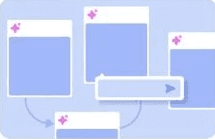
Infinite Canvas
Creative playground. Al supports brainstorming and visual tasks by interacting directly with objects on a large canvas: Edits, rephrasing, summaries, coding hints.
03
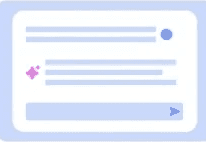
Center Stage
Full-screen assistant. Best for open-ended conversations (like ChatGPT) where users lead the interaction with prompts: Writing, research, idea generation.
04
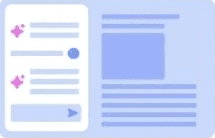
Left Panel
Strategic co-creator. Al sits in a side panel to help with ongoing, complex tasks, especially good for structured content or code: Co-creation, complex structured tasks. Writing, research, idea generation.
05
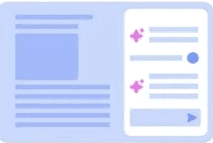
Right Panel
Quick help, bottom-right corner. Best for lightweight, reactive tasks like customer service or FAQs: Writing, debugging, summarizing, enterprise tasks.
06
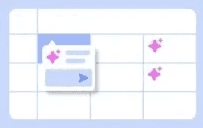
Grid
Smart spreadsheet. Each cell acts like a mini-Al agent-great for research, data synthesis, or structured tasks: Research, data synthesis, and structured content.
07
.
1
3