

UI Elements
UI ions/atoms

If ions and atoms are the basic building blocks of matter. Elements are the building blocks of an UI. These, serve as the foundational building blocks or parts that comprise any UI.

UI Components
UI Molecules

These are groups of elements bonded together that take on distinct new properties. In UX/UI, components are relatively simple groups of UI elements functioning together as one.

UI Sections
UI Organisms

Sections are relatively complex UI components composed of groups of components with elements and sub-elements to other sections. These sections form distinct sections of an UI.

UI Modules/Regions
UI Templates/Pages

UI Modules and UI Regions are page-level objects that place components, and sections into a layout to articulate the design’s underlying content structure on a screen.

100

150

200

300

400

500

600

650

700

750

800

850

900

__
__
__
UXUX
UXUX
UXUX
//
//
//
Atomic Design SystemsAtomic Design Systems

Atomic Design Systems

A concrete experience design for interface design. A design system save the day. One of the biggest advantages a design system provides for a design system is the ability to quickly shift between abstract design to concrete designits responsive resiliencethe next level in UX/UI.

 ADS empower responsive behavior across countless breakpoints and devices. At every scale atoms, molecules, organisms, templates, and regions content becomes flexible, predictable, and adaptive. 

 ADS empower responsive behavior across countless breakpoints and devices. At every scale atoms, molecules, organisms, templates, and regions content becomes flexible, predictable, and adaptive. 

 ADS empower responsive behavior across countless breakpoints and devices. At every scale atoms, molecules, organisms, templates, and regions content becomes flexible, predictable, and adaptive. 

Atomic Design System Framework

ions [1]

Atoms [2]

Molecules [3]

Organisms [4]

Templates [5]

Regions [6]

Root element: HTML5

 Devs gain a clearer understanding of how each interface element behaves across environments, improving accessibility, usability, and clarity. Leading to cleaner UX journeys and interfaces that resonate with user expectations and brand standards. 

 Devs gain a clearer understanding of how each interface element behaves across environments, improving accessibility, usability, and clarity. Leading to cleaner UX journeys and interfaces that resonate with user expectations and brand standards. 

 Devs gain a clearer understanding of how each interface element behaves across environments, improving accessibility, usability, and clarity. Leading to cleaner UX journeys and interfaces that resonate with user expectations and brand standards. 

Periodic table of the HTML5 elements:

1

1

2

2

2

2

2

2

3

3

3

4

4

4

4

4

5

5

6

6

6

Periodic table of the HTML5 elements:

1

1

2

2

2

2

2

2

3

3

3

4

4

4

4

4

5

5

6

6

6

 Ions = Html5 Code. From hierarchical semantics, to elements for code as tokens for algorithms, while mirroring chemistry. 

 Ions = Html5 Code. From hierarchical semantics, to elements for code as tokens for algorithms, while mirroring chemistry. 

 Ions = Html5 Code. From hierarchical semantics, to elements for code as tokens for algorithms, while mirroring chemistry. 

ions [scripting]

1

HTML5

head

span

title

a

meta

rt

dfn

base

rp

abbr

link

noscript

q

style

script

cite

Root element: HTML5

Metadata and scripting

ions [scripting]

1

HTML5

head

span

title

a

meta

rt

dfn

base

rp

abbr

link

noscript

q

style

script

cite

Root element: HTML5

Metadata and scripting

 Atoms = Design Elements. HTML5 based elements from tags to styles, to build UI interactive components: 

Atoms [Elements]

2

span

a

rt

dfn

em

i

small

ins

s

br

rp

abbr

time

b

strong

del

kbd

hr

noscript

q

var

sub

mark

bdi

wbr

figcaption

script

cite

samp

sup

ruby

bdo

code

figure

Text-level semantics

 Molecules = Components. Groups of atoms functioning together: 

 Molecules = Components. Groups of atoms functioning together: 

 Molecules = Components. Groups of atoms functioning together: 

Molecules [Components]

3

div

fieldset

pre

meter

br

p

blockquote

legend

hr

ol

dl

label

figcaption

ul

dt

input

figure

li

dd

textarea

Grouping content

 Organisms = Sections [Forms] Collections of molecules and/or atoms forming distinct sections: 

 Organisms = Sections [Forms] Collections of molecules and/or atoms forming distinct sections: 

 Organisms = Sections [Forms] Collections of molecules and/or atoms forming distinct sections: 

Organisms [Sections]

4

div

fieldset

form

body

pre

meter

select

aside

blockqoute

legend

optgroup

address

dl

label

option

datalist

dt

input

output

keygen

dd

textarea

button

progress

Forms

Organisms [Sections]

4

div

fieldset

form

body

pre

meter

select

aside

blockqoute

legend

optgroup

address

dl

label

option

datalist

dt

input

output

keygen

dd

textarea

button

progress

Forms

 Organisms = Sections. The building blocks of document layout hierarchy: 

 Organisms = Sections. The building blocks of document layout hierarchy: 

 Organisms = Sections. The building blocks of document layout hierarchy: 

Organisms [Sections]

4

col

body

h1

section

colgroup

aside

h2

header

caption

address

h3

nav

menu

datalist

h4

article

command

keygen

h5

footer

summary

progress

h6

hgroup

details

Document structure

Organisms [Sections]

4

col

body

h1

section

colgroup

aside

h2

header

caption

address

h3

nav

menu

datalist

h4

article

command

keygen

h5

footer

summary

progress

h6

hgroup

details

Document structure

 Templates = Modules. Page-level structures that place organisms into a layout, often with placeholder content: 

 Templates = Modules. Page-level structures that place organisms into a layout, often with placeholder content: 

 Templates = Modules. Page-level structures that place organisms into a layout, often with placeholder content: 

Templates [Modules]

5

col

table

section

colgroup

tr

header

caption

td

nav

menu

th

article

command

tbody

footer

summary

thead

hgroup

details

tfoot

Tabular data

IxD: Interactive elements

Templates [Modules]

5

col

table

section

colgroup

tr

header

caption

td

nav

menu

th

article

command

tbody

footer

summary

thead

hgroup

details

tfoot

Tabular data

IxD: Interactive elements

 Regions = Screens [Pages] Specific instances of source code transformed into regions w/ real content, showing the UI in its final state: 

 Regions = Screens [Pages] Specific instances of source code transformed into regions w/ real content, showing the UI in its final state: 

 Regions = Screens [Pages] Specific instances of source code transformed into regions w/ real content, showing the UI in its final state: 

Regions Screens [Pages]

6

img

area

map

embed

object

param

source

iframe

canvas

track*

audio

video

device*

VR/AR 3D

HTML6

Embedding content

(*) Hardware-based. Not an element.

Future-driven functionality

Regions Screens [Pages]

6

img

area

map

embed

object

param

source

iframe

canvas

track*

audio

video

device*

VR/AR 3D

HTML6

Embedding content

(*) Hardware-based. Not an element.

Future-driven functionality

 Agile MVPs and MDPs = Expressed within SDKs to create Dynamic Libraries. When the magic happens for real content, showing the UI in its WYSIWYG state wether will be for app or web development: 

 Agile MVPs and MDPs = Expressed within SDKs to create Dynamic Libraries. When the magic happens for real content, showing the UI in its WYSIWYG state wether will be for app or web development: 

 Agile MVPs and MDPs = Expressed within SDKs to create Dynamic Libraries. When the magic happens for real content, showing the UI in its WYSIWYG state wether will be for app or web development: 


Apple
Software Dev Kit
[SDK™+Libraries] — a powerful and thoughtfully crafted front-end framework designed for building Apple applications with consistent HIG UX/UI.

Whether prototyping remotely or on-site with Figma, optimizing UI tools and workflows, or scaling for Web3, FIG.™ is here to streamline your Agile atomic design systems.


Whether prototyping remotely or on-site with Figma, optimizing UI tools and workflows, or scaling for Web3, FIG.™ is here to streamline your Agile atomic design systems.


Whether prototyping remotely or on-site with Figma, optimizing UI tools and workflows, or scaling for Web3, FIG.™ is here to streamline your Agile atomic design systems.


Apple
SDK 26

Figma
Software
Development
Kits+Libraries

[SDKs+L]

Apple
SDK 26

Software
Dev
Kit/Libraries

(SDK/L)


Apple
SDK 26

Software
Development
Kit

(SDK/L)


A11y Optimization

Animations/Effects

Automated SEO

Built-in Analytics

Content (CMS)

Components

Forms

Layout

Project Styles

P3 Color

Rich Media

Carousel

Slideshow-Tickers

Sticky Scrolling

Link Styles

Overlays

Responsive Design

Text Styles

Sticky Scrolling

Parallax Scrolling

Custom Cursors

Visual Breakpoints

.

1

3

HIG
Guides

HIG
Guides

Instead of debating visual interpretations, teams build intentional experiences grounded in transparency and shared structure. This leads to meticulous UX journeys with Human Interface Guidelines expectations & SDK' standards.

HIG
Guides

Instead of debating visual interpretations, teams build intentional experiences grounded in transparency and shared structure. This leads to meticulous UX journeys with Human Interface Guidelines expectations & SDK' standards.

Design
Systems

Design
Systems

Design
Systems

Design Systems cultivate cohesion across multidisciplinary teams. Developers, designers, product managers, and stakeholders communicate more effectively because the system itself acts as documentation, reference, & guide.

Style
Guides

Style
Guides

Instead of debating visual interpretations, teams build intentional experiences grounded in transparency and shared structure. This leads to meticulous UX journeys and interfaces that resonate with UI expectations, and W3C standards.

Style
Guides

Instead of debating visual interpretations, teams build intentional experiences grounded in transparency and shared structure. This leads to meticulous UX journeys and interfaces that resonate with UI expectations, and W3C standards.

Brand
Guides

Brand
Guides

Brand
Guides

Instead of debating visual interpretations, teams build intentional experiences grounded in transparency and shared structure. This leads to meticulous UX/UI journeys that resonate with brand standards, promise, & core values.
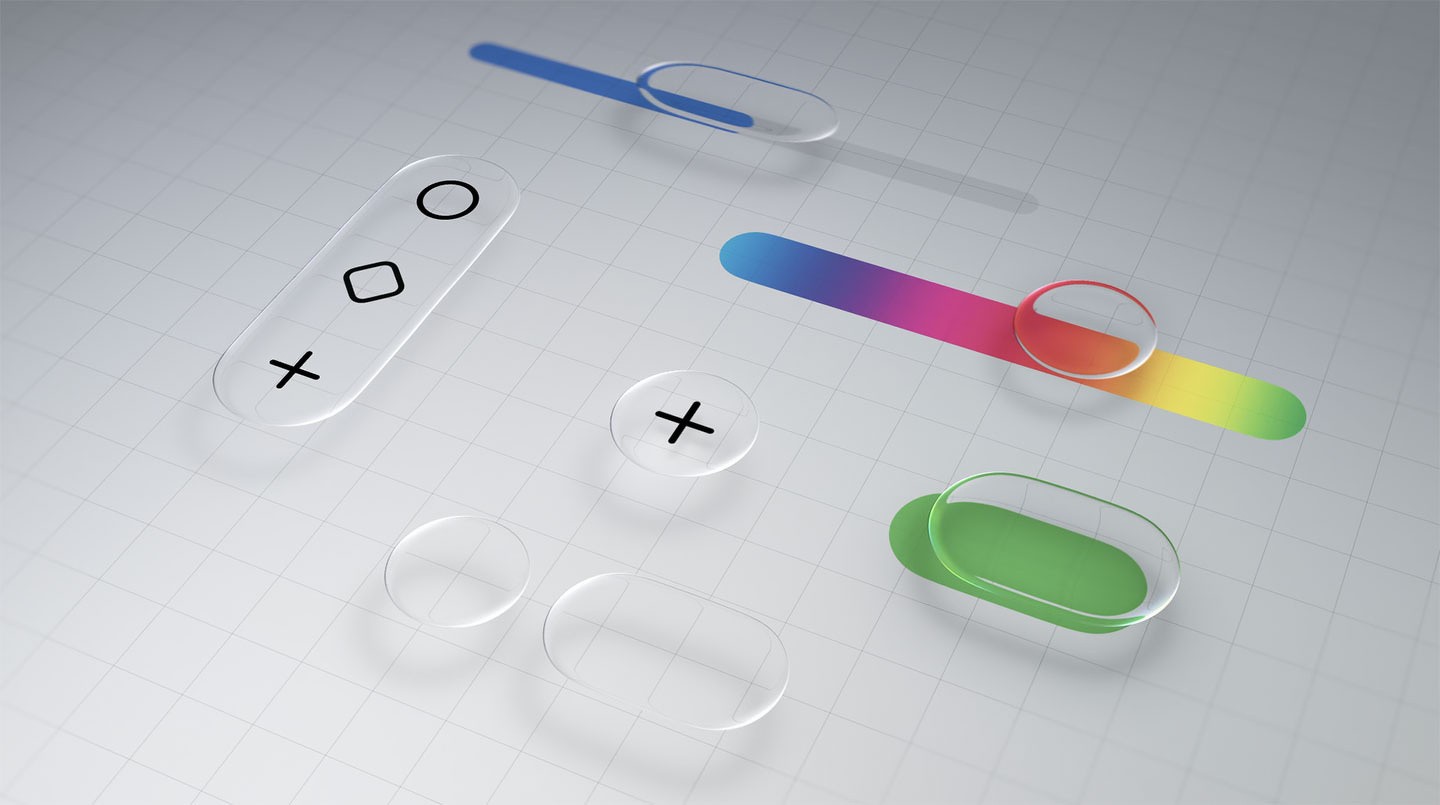
Liquid Glass

v26 | Figma SDK

Apple Design System

Why Harbour Molds Lines

by Masterworks yet

Sessions

Why Group Streamlining

Onboarding and Saved

With the Brightway

How Market.org Raisedup

these RATE as 2x from

Pathguide

Liquid Glass

v26 | Figma SDK

Apple Design System

Why Harbour Molds Lines

by Masterworks yet

Sessions

Why Group Streamlining

Onboarding and Saved

With the Brightway

How Market.org Raisedup

these RATE as 2x from

Pathguide

ADS Atomic design model [Design Paradigm]

ADS Atomic design model [Design Paradigm]

ADS Atomic design model [Design Paradigm]

* SCROLL DOWN * or SCROLL UP

UI Elements
UI ions/atoms

If ions and atoms are the basic building blocks of matter. Elements are the building blocks of an UI. These, serve as the foundational building blocks or parts that comprise any UI.

UI Components
UI Molecules

These are groups of elements bonded together that take on distinct new properties. In UX/UI, components are relatively simple groups of UI elements functioning together as one.

UI Sections
UI Organisms

Sections are relatively complex UI components composed of groups of components with elements and sub-elements to other sections. These sections form distinct sections of an UI.

UI Modules/Regions
UI Templates/Pages

UI Modules and UI Regions are page-level objects that place components, and sections into a layout to articulate the design’s underlying content structure on a screen.

UI Elements
UI ions/atoms

If ions and atoms are the basic building blocks of matter. Elements are the building blocks of an UI. These, serve as the foundational building blocks or parts that comprise any UI.

UI Components
UI Molecules

These are groups of elements bonded together that take on distinct new properties. In UX/UI, components are relatively simple groups of UI elements functioning together as one.

UI Sections
UI Organisms

Sections are relatively complex UI components composed of groups of components with elements and sub-elements to other sections. These sections form distinct sections of an UI.

UI Modules/Regions
UI Templates/Pages

UI Modules and UI Regions are page-level objects that place components, and sections into a layout to articulate the design’s underlying content structure on a screen.